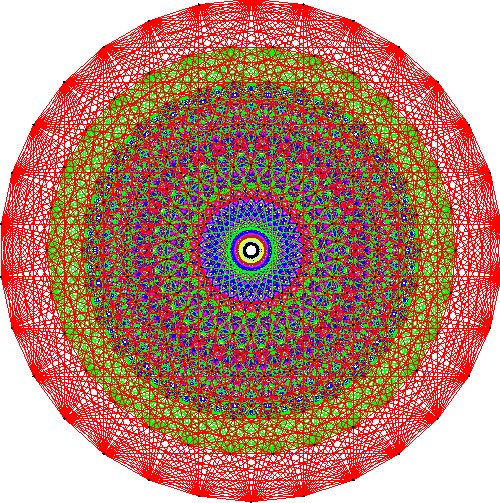
E8
Surfend over de log van Tim kwam ik deze fantastische presentatie op TED 2008 tegen. Heel gek dat ik nog niet eerder aandacht aan TED heb besteed. Ik mag mezelf wel verslaafd noemen aan de vele presentaties die je er online kunt vinden (Stephen Hawking _O_ die dé vragen over het universum beantwoordt, J.J. Abrams _O_ over mysterie, CERN rocker Brian Cox over de Large Hadron Collider
). In één woord: Fascinerend. Met een hoofdletter F.
Maar goed, hetgeen jullie werkelijk wilde weten is van welke recente presentatie ik nu weer enthousiast ben geworden
. Dat is de presentatie van Garrett Lisi, over zijn 'Theory of Everything'. Okay, klinkt misschien redelijk ingewikkeld, is het ook. Maar Lisi vertelt met passie, de nodige humor, metaforen en laidback (lees: Jack Johnson, Pete Murray) mentaliteit een mogelijke theorie die de allerkleinste bouwstenen van ons universum beschrijven. En het komt allemaal terug op... Wiskunde. De taal die iedereen op deze wereld schrijft: wow
.
Werk en intro
Weer eens een update...
Na ongeveer zeven weken achter elkaar op de maan- en dinsdagen gewerkt te hebben, zitten de grootste persoonlijke project bij Tiscom Hosting er weer op:
- Webmail 3.0 is online gegaan na een refactor van RoundCube.
- De MySQL backup procedure is zodanig aangepast dat dit nu per database gebeurd. En dan per dag, per week en per maand. 'Vroeger' gebeurde dat per server. Wat meer flexibiliteit dus
. - Ja, het gaat dan eindelijk (een keer) gebeuren
. We gaan van BIND naar djbdns' tinydns. - En nadat de heren van vpopmail een patch hebben voor dit probleem dan moeten onze MX hosts weer wat meer blocken
. - Daarnaast ben ik ook met vpopmaild bezig geweest. Wat functionaliteit toegevoegd (het tellen van disk usage per domein of per user). Deze daemon moet het mogelijk gaan maken om vanuit onze backoffice - en later ook vanuit de frontoffice - wijzigingen op de POP servers door te brengen. Die patch heb ik uiteraard gedeeld.
Telefoon en een update
Eindelijk weer eens een updatetje. Na alle perikelen met T-Mobile kon ik enkele weken terug eindelijk gebruik maken van m'n mooie MDA Vario. Deze op Windows Mobile 5.0 draaiende MDA is echt de ideale telefoon voor mij. Met flat-fee GPRS access kan ik mijn e-mail checken, SSH'en naar servers van het werk, internetten, m'n agenda checken en heb ik altijd mijn contactpersonen bij de hand.
Bij het koppelen van de MDA aan de desktop PC synct hij automatisch de contacts van Thunderbird en de agenda van Sunbird. Echt te gek! Afspraken die ik vergeet zijn verleden tijd
.
Mounting JFFS2 images
Today I tried to mount a JFFS2 image at work. Normally you mount ISO files and other images like 'mount test.img /mnt -o loop'. However, JFFS2 is not capable of mounting the image this way. So I searched a while before I found the right solution. Well, here it is
.
Upgrade to Wordpress 2.1.1 – update
I just updated my Wordpress from 2.1 to 2.1.1. Thanks to Mark Jaquith it was easy, by using the diff (patch) file he created. Not many things have been changed. Just some XSS-fixes and HTML code improvements...
A little update of this post. Wordpress just announced that the 2.1.1 release has been breached! The code that was available contained malicious hacks! So, everyone who upgraded to 2.1.1 should immediate update to 2.1.2! I've just done it. However, I'm having problems with uploading every file. It looks like my FTP client is uploading the files and name them differently, really annoying!
Smilies in Wordpress 2.1
I got my smilies working again
. After upgrading to Wordpress 2.1 they were gone. This was because of the fact that the people of Wordpress decided that there should be either a newline or a 'word' character behind your smilie. So a dot (.) was not enough. Kind of strange mutation, however, I was able to fix it.
Open wp-includes/vars.php and look near line 90. There you will find a line like:
$wp_smiliessearch[] = '/(\s|^)'.preg_quote($smiley, '/').'(\s|$)/';
Replace it with:
$wp_smiliessearch[] = '/(\s|^)'.preg_quote($smiley, '/').'/';
And you're done
.
Another thing. If you also don't like the fact that there is always a space after you're smilie, you can change it. Scroll down a few lines (line 92 in my case). Change this line from:
$wp_smiliesreplace[] = " <img src='" . get_option('siteurl') . "/wp-includes/images/smilies/$img' alt='$smiley_masked' class='wp-smiley' /> ";
To:
$wp_smiliesreplace[] = " <img src='" . get_option('siteurl') . "/wp-includes/images/smilies/$img' alt='$smiley_masked' class='wp-smiley' />";
Yes, indeed, just remove the space afterwards.
Wordpress 2.1
Zojuist even Wordpress 2.1 geïnstalleerd. Ziet er goed uit. Aan de voorkant is niet veel veranderd. De achter- en onderkant (ja, die bestaat ook) echter behoorlijk. De achterkant is wat anders ingedeeld en het managen van links is wat makkelijker geworden. Ook is de visual editor aangepast zodat je snel kunt switchen tussen de WYSIWYG editor en de code editor, wat voor een geek als ik wel makkelijk is. De onderkant is door Domas Mituzas onder handen genomen en heeft nogal wat SQL performance verbeteringen ondergaan. Ben benieuwd of m'n logje er morgenvroeg nog is
.
Ik zie alleen dat m'n smilies kapot zijn
. Iemand daar een oplossing voor?
Een nieuwe WordPress log!
Jaja, na jaren een suffe (wel XHTML-compatible) site te hebben gehad, heb ik de afgelopen twee dagen eens even de handen uit de mouwen gestoken. En aangezien ik geen zin in PHP had heb ik simpelweg maar Wordpress geïnstalleerd. Uiteraard wel een kinky theme uitgezocht en enorm geëdit. Maar ik denk dat het resultaat er mag wezen
.
Als er weer eens wat tijd over is, dan ga ik de gemaakte theme - die ik toepasselijk 'zerostyle' heb genoemd - publiceren voor anderen
.
De twee balken rechts houden enkele activiteiten van me bij. Onder andere de laatst bekeken film (of in ieder geval een film waar ik iets over kwijt wilde). De onderste sidebar geeft de twee laatste 'tech' artikelen weer. Onder de tech artikelen behoren meestal projecten vanuit het werk, maar misschien ook wel een behandeling van concepten. Binnenkort verschijnt er bijvoorbeeld iets over greylisting.
Misschien dat ik er nog een sidebar bij maak, voor muziek...
Ik heb overigens mijn oude logs en wat oude artikelen mee geïmporteerd. Dus als je ooit nog tijd over hebt
.
Saddam, de knie, greylisting en de top 2000!
De een-na-laatste dag van het jaar. Saddam heeft z'n laatste sigaartje opgestoken afgelopen nacht. Luguber om te zien eigenlijk, in een of ander donker huis(?) krijgt meneer de strop om gedaan door wat Navy Seals(?). Er zullen dezer dagen wel weer filmpjes op de welbekende kanalen verschijnen waar de daadwerkelijke hang te zien is. Lang leve YouTube (not).
Verhuizing van servers
Volgende week staat er weer eens wat moois op de planning voor het werk. We zijn een beetje uit ons jasje gegroeid in het datacenter Schuberg Philis. Na vier racks vol te hebben gekregen hadden we een vijfde rack nodig. Aangezien dit niet geleverd kon worden in dezelfde ruimte werd ons een rack op de bovenverdieping aangeboden.
Logistiek gezien was dit sowieso een probleem. Een tweede probleem is de prijs van de stroom geworden. We moesten servers over meerdere racks gaan verspreiden, dus is er voor gekozen een volledige rij (11 racks) af te nemen. Dit houdt in dat we a.s. weekend de boel van onderen naar boven gaan verhuizen. En dat is eerlijk gezegd niet niets. Kortweg 130 servers van 'ons eigen' en 40 servers van klanten. Een hele operatie dus, die goed gepland en gecoördineerd moet worden. We gaan met vijf man sterk vrijdagnacht (23:00u) richting Amsterdam om het het geheel in gang te brengen en hopen zaterdagochtend rond een uur of 9:00u klaar te zijn.
Als m'n logje zaterdagochtend nog te bereiken is dan is het goed gegaan. Tot logs!
Murphy comes around Tiscom’s e-mail system
Pfff, finally an update. Have done a lot since last month. Let's talk about the split of our first e-mail server. That didn't went very well the first two times (saturday night and firday night). The first time we crossed by that about 15 domains had mailboxes bigger then 1Gb. Imagine that an average e-mail is about 2k, so that there were 1G / 2K = 536.870.912 files into one directory. And that these were also very fragmentated (because mails are not flushed to the disk beyond each other). So transferring of these directories took too much time (about one hour each). So we skipped the whole thing to a week later.
That friday night, with all the courage we had we tried again (in the meantime we had trashed those - big - e-mail boxes). Almost everything went well, only some particular domains didn't work well. The next day our support box was filled with lots of e-mail about slow POP connections etc. Also our Mail eXchangers (that are the servers in the MX records with SPAM- and virusscanning) were kind of overloaded. After seeking for the problem for almost three days we found it. The harddisk in the new POP-server was really slow (15MB/s at idle) so we had to go another night to replace the new POP-server with a good new server
. This was planned for Saturday afternoon (there was good weather so the server weren't that busy). But when I finished setting up the new POP server, I got an SMS from my colleague Freek that the 'real' POP server was down. I logged in and saw that the filesystem was mounted read-only. Fuck, the harddisk crashed 16 hours too early
.
So, we had to prepare ourselfs for another night datacenter. The harddisk was fully lost so we had to use the backup from Friday morning, so people who didn't fetched their e-mail this day have lost e-mail received that day. Nothing to do on that. After unpacking the backup we were able to restore the new POP-server (pop03) so that everything worked well. With solving this problem the load of the MXs also lowered. So the slow/damaged harddisk was the originator of this problem
.
Enough about the Tiscom e-mail system
. I'm back at school since the 31th of August. I still have to come into the 'one-hour-rhytm', but that will happen within two weeks. After that everything must go fast and the next vacation will arrive soon
.
Also football is going fine, I'm playing in our fifth team and sitting on the bench at the first team. Speak you hopefully a bit sooner
.
POP proxy project almost finished
Not very much to tell. The POP proxy project is almost finished. All the domain transfer scripts, the domain list transfer scripts etc. etc. are made. But we're still waiting for the new mailserver, where half of all the domains at the first mailserver will be moved to. But it should be there before saturday. That night we are going to replace everything. Move half of the accounts to the new server, move the servers fysically to a new rack and to install the POP proxy, that is. I'll share the 'transfer-domain-to-other-vpopmail-server' script with you on my qmail page, some days
.
The DigiMatrix project isn't quite active yet, as I'm working on the e-mail change and Harmbox, an analystic tool I've created during my internship at Bronkhorst Travel. That all takes a lot of time. And there's also the training of my football team. We've had about 4 training sessions by now and in one hour the fifth one. My condition was really good, I wasn't the first one gapping after a run exercise
. Also goalkeeping went very well, had lots of difficult balls, without even a keeper training session. That's quite some years ago that happened last
. Well, everybody, have a nice vacation. Till the next log!
The DigiMatrix project starts + Perdition
Well, after a long time some updates. The DigiMatrix project can start, I have received all the materials, looking for the Celeron FSB400 CPU was the hardest part. It was set EOL (End Of Life) in December 2004 so almost no (web)shop had it available. However Alternate did. As said, I ordered the memory, harddisk and CPU at Cool Prices, but the CPU delivered with this package was a FSB500 (Prescott-core) processor, which can not be ran on the motherboard. So I had to look for another. Besides the not very good experiences with the delivery they were kind enough to take back the CPU (slightly used of course and with some cool pasta on it). Good job Cool Prices!
The Linux part with the DigiMatrix has to wait. As stated on my ASUS DigiMatrix page I had also found Media Portal, which runs under Windows (blame me
) and .Net (blame me even more
), so I'm going to try that first.
Also some news from work. Our first mail server is heavily overloaded, load doesn't get below 4 and that's on a single CPU box. So, it was time to either upgrade the machine to a dual CPU box and faster I/O or to split accounts to a new server. We made the last choice. So, now a way to avoid e-mailing those 4000 clients who are going to be transferred to the new box. A colleague of me came up with Perdition (no, not from the movie). Perdition is a POP proxy, it is able to reroute a POP-request to the right server. So if a user connects to let's say pop.example.com (192.168.0.1) Perdition checks its own database (ODBC, MySQL, PostgreSQL, LDAP, BDB, GDBM) to determine where the request has to be forwarded to. Mail for example.net is handled by pop01.example.com (192.168.0.5) and mail for example.org is handled by pop10.example.com (192.168.0.10). So, all the traffic will be transferred through Perdition. Now the user doesn't have to know on whether POP server it is, we (well, Perdition) decide for them. We use the GDBM database, because it's familiar with the data format used on qmail's smtproutes. The only (big) thing left is to split the accounts to the new server and put the real mail box on another IP. This will be done on a Saturday night (less traffic and we have whole Sunday left to 'repair' things if necessary), we have to determine what date exactly because we're still waiting for the new mailserver. I just finished configuring the new Perdition proxy server, so that part is finished. Next time hopefully more about this
!
Another cool fact, tomorrow trainings of my footbal team starts. I have already tried to build up my condition by doing some running. Let's see if that was enough to run the warming-up without gasping
.
Linux on the ASUS DigiMatrix
I'm thinking of buying I have bought an ASUS DigiMatrix 'Home Theater PC' (HTPC), to put Linux on it.I've won the box on eBay and have received it a few days ago. Today (16-7) I have received the processor (Intel Celeron D 2,4GHz), memory (Kingston 512MB DDR PC2700) and harddisk (Western Digital 200GB PATA 7200RPM). But there's a big problem. The mainboard isn't able to run with a Precott-core based CPU, like the one I've ordered. So, I'm waiting for the webshop if they can trade this one with a Northwood-based core. Nevertheless, I have done some research and there are quite some interesting projects running:
- Linux on ASUS DigiMatrix
- AsusHomeTheater forum ('part of' site above)
- Review on X-bit labs
- Review on Digit-Life
- Media Portal - A free (open-source) MCE like framework
- Media Portal - A FreeVO like (free) Windows 'framework'
On this page I would like to share my experience of setting up Debian GNU/Linux on that box. It will look a lot like the Linux on ASUS DigiMatrix page, from the list above.
So, hopefully soon some more info about this really great product!
Migrating Debian to SATA disks
what's this?
At work we weren't able to install a Dell PowerEdge 750 with real (read: libata) SCSI-level support. So we had installed the drive just as an IDE-disk using the standard Intel ICH5 chipset support in the kernel. One big problem, it doesn't support DMA at all. So readtimes are very slow, not very attractive if the server is a webserver :]. So, I went to the Gathering of Tweakers to discuss what to do. They tipped me to try a 2.6 kernel. Good idea, hadn't really thought about that, because I was more wondering how to turn off the emulated (PATA)-mode in the BIOS. Because of those Mickey Mouse BIOS used in Dell servers. And I can tell you that was the solution. So on this page you will find a description how everything took place. I have already published some of this info at my log.
who needs this?
Anyone who have installed their Debian Woody or Sarge to a normal harddisk (or at an emulated SATA-disk) and like to migrate it to a real SCSI-layer driver SATA disk (sdx).
starting
As said, I should have tried the 2.6-kernel according to the people at GoT. Because I was still running the 2.4-tree I also needed to upgrade some small libraries by hand. That (together with the LILO/Grub) difference makes it hard to make this howto also work for both Debian Woody and Sarge, so I have splitted it up.
Woody
First we've compiled a newer version of module-init-tools, which is needed due to the new module system in 2.6. Compiling shouldn't be to hard, but use `--prefix=''' instead of the regular path (/usr/local). You maybe also need to remove the SGML lines from your Makefile after you have ran configure rule. Then, before running `make install' make sure that you have moved the old modutils (/sbin/lsmod, /sbin/rmmod, /sbin/insmod, /sbin/depmod and /sbin/modprobe) to a backup directory. Otherwise module-init-tools will not copy the new binaries to the right destination.
Next thing to do is edit your /etc/fstab. Here you have to change your hd partitions to sd partitions. For example, if you had a line like:
/ /dev/hda1 ext3 yadayadayada
change it to
/ /dev/sda1 ext3 yadayadayada
Now you have to download and burn a Knoppix Live CD. Don't reboot to the normal situation yet! It won't work because your modified fstab.
Now it's time to compile your new 2.6 kernel, I hope you don't need much help here, in the future there maybe some helpt at my kernel page. What you have to enable is SCSI-support and SATA support under the SCSI low-level drivers category. Also pick the right SATA chipset out of that submenu. In our case that would be: `Intel PIIX/ICH SATA support'. Now compile your kernel and put it into your /boot directory. Now comes the tricky part. Reboot but boot on your Knoppix CD-ROM. When the Knoppix menu is on boot in console mode only (type `knoppix 2').
After the boot, you have to mount the root partition like this:
mount -o dev /dev/sda1 /mnt/sda1
Huh? SCSI-disks? That's right, Knoppix detected the SATA-disks as SCSI-disks, that's exactly what our kernel has to do next reboot...
When you have mounted the root disk it's time to chroot to that disk:
chroot /mnt/sda1
You're back in your own system. Now edit `nano /etc/lilo.conf' and replace every /dev/hda for example to /dev/sda, and /dev/hda1 to /dev/sda1, etc. etc. Close the editor and run:
lilo
Your system has to be ready to reboot by now. So: let's `exit' the chroot, `unmount /mnt/sda1' the disk and `reboot'. If you had run through everything ok your system has to be boot like a SCSI-system! So your SATA-disk drivers run onder the SCSI-layer.
Sarge
Just run:
apt-get install module-init-tools
Yep, Sarge has a package for that. Now you have to edit fstab just like described above at the Woody-setup.
Because Sarge does not use LILO as its standard boot loader but Grub there's a small difference between both setups. We don't need a Knoppix CD here (unless you screw up ;]). What you have to do is open `/boot/grub/menu.lst' and put a new title section up with the name of your fresh-compiled kernel. Copy the `root' value from the previous kernel, don't change it (if it was root (hd0,0), leave it to (hd0,0)). The only thing you have to change is the root value after kernel. If you had for example this title block:
title Debian GNU/Linux, kernel 2.4.31
root (hd0,0)
kernel /boot/kernel-2.4.31 root=/dev/hda1 ro
savedefault
boot
Change it like this:
title Debian GNU/Linux, kernel 2.6.12, with sata
root (hd0,0)
kernel /boot/kernel-2.6.12 root=/dev/sda1 ro
savedefault
boot
Note the difference at the root parameter. Double check everything, otherwise you either have to get your Knoppix CD. When everything has been changed it's time te reboot. This also goes like the Woody setup.
sources
- Debian install manual - Technical information on the Boot Floppies
- Intel® PRO/10/100/1000/10GbE Drivers
enhancements, questions, etc.
I hope this was quite useful, if you have any enhancements/questions/other things don't hesitate to contact me.

